VPU Devices
Table that list all the VPU devices detected by the host system.
VPU Table
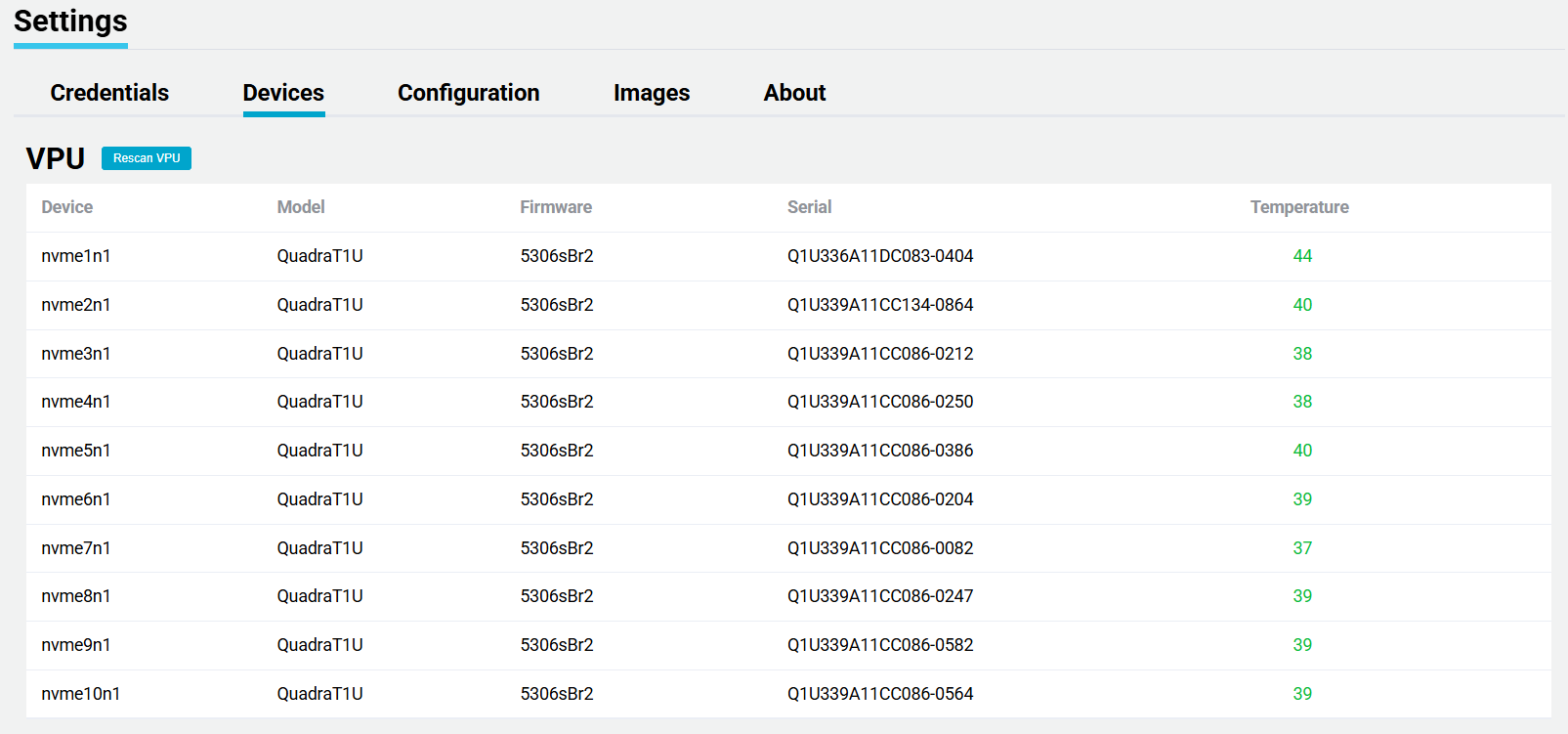
| Name | Description |
|---|---|
| Device | The host system device name. |
| Model | VPU model number. |
| Firmware | Firmware version installed on the VPU. |
| Serial | The Serial number of the detected VPUs. |
| Temperature | Current temperature of the VPU. Refer to the Warning note below. |
| Rescan VPU | Performs a rescan of the PCIe interface. More Details |
Temperatures above 70 will cause the VPU to enter into a throttling state which will cause a reduction in capacity.
Rescan VPU Feature
Bitstreams will monitor the number of VPUs installed in the system and if a VPU is removed or has hardware failure, then Bitstreams will rescan and update the table. If a new VPU is installed Bitstreams will detect the new hardware and perform a rescan. Bitstreams will only perform a rescan if there is a detected change in the hardware
The user has an option to manually trigger a rescan but clicking on the "Rescan VPU" button.
The rescan feature will perform a rescan of the PCIe interfaces for VPU devices. This rescan may cause a momentary issue with the encoding sessions. Proceed with caution.