Delete Signing Keys Through Dashboard
warning
Deleting a signing key cannot be undone! Any JSON Web Tokens that were signed using the key will not work anymore.
-
Select the "Settings" option in the Bitstreams Console, located on the left hand side.

-
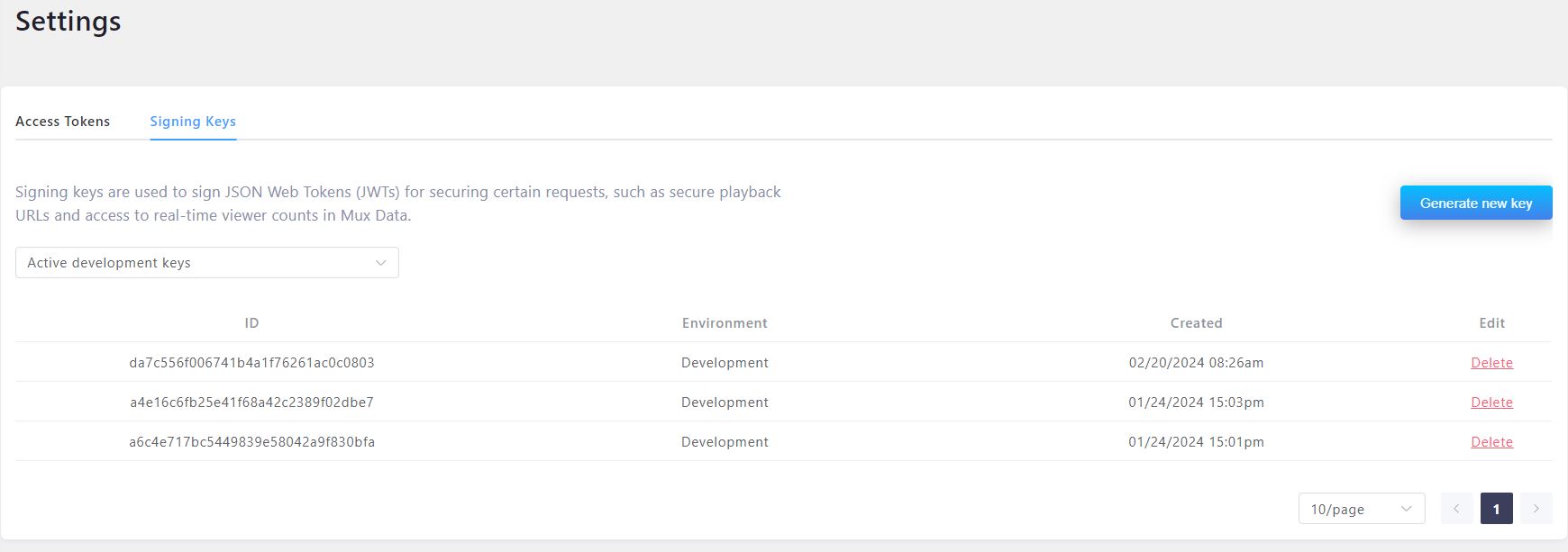
The Settings interface is now shown, click the Signing Keys tab.
-
Find the signing key ID that needs to be deleted.
-
Click the red "Delete" button to the right of the signing key ID, under the Edit column, to permanently remove a signing key.
-
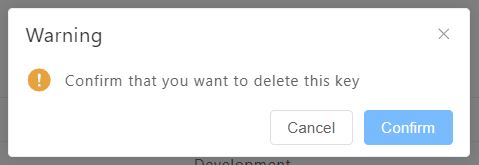
A confirmation window will popup:
-
Press Confirm to finish deleting the signing key.