Start Streaming to a Live Stream Session
Terminology
| Term | Description |
|---|---|
| URL Options | The URL Options are streaming methods used to send data from a broadcasting device to Bitstream. There will be a pre-configured URL for each supported input protocol. Examples of supported protocols are SRT srt:// and RTMP rtmp://. A Copy button is located next to each URL Option to allow easy copying for use with a broadcast system. |
Start a Live Stream
The Stream Key is already embedded in the URL copied from Bitstream
-
Click on the
IDof the new live stream to see more details as shown below. The ID will be a string of unique characters to the left of the stream description. The ID for the example stream ise62907249e324969b342e4bdca061f4d.
After clicking on the
ID, the live streaming session window will be shown: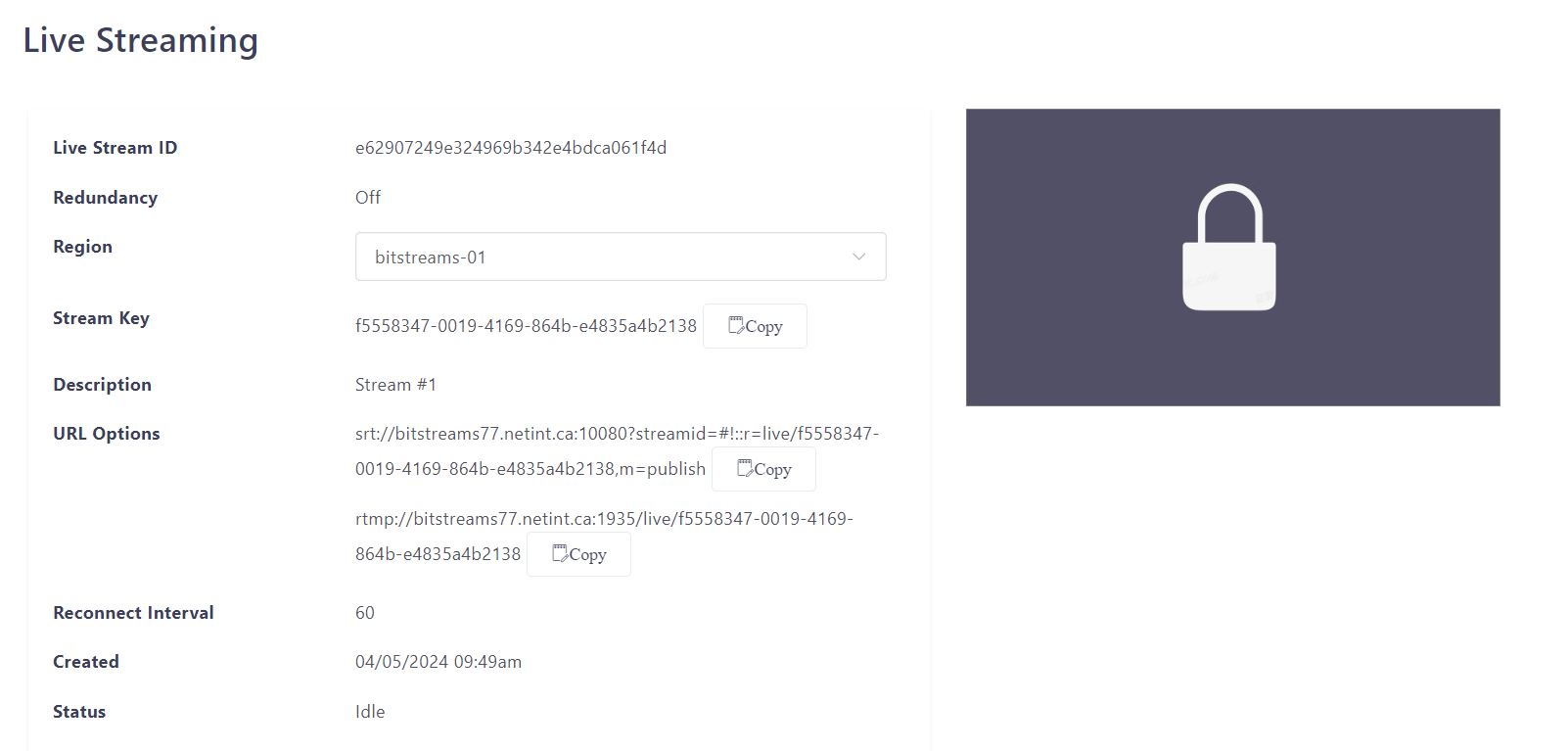
-
Bitstreams supports either SRT or RTMP input for live streaming.
- Next to the URL Options heading, there will be URLs for both SRT
(srt://)and RTMP(rtmp://). - Choose one and click the Copy button next to it, SRT will be used for this example.
srt://[bitstream-server-ip]:10080?streamid=#!::r=live/[stream-key],m=publish
- Next to the URL Options heading, there will be URLs for both SRT
-
Use the copied SRT or RTMP URL to set up a broadcasting device and start broadcasting.
-
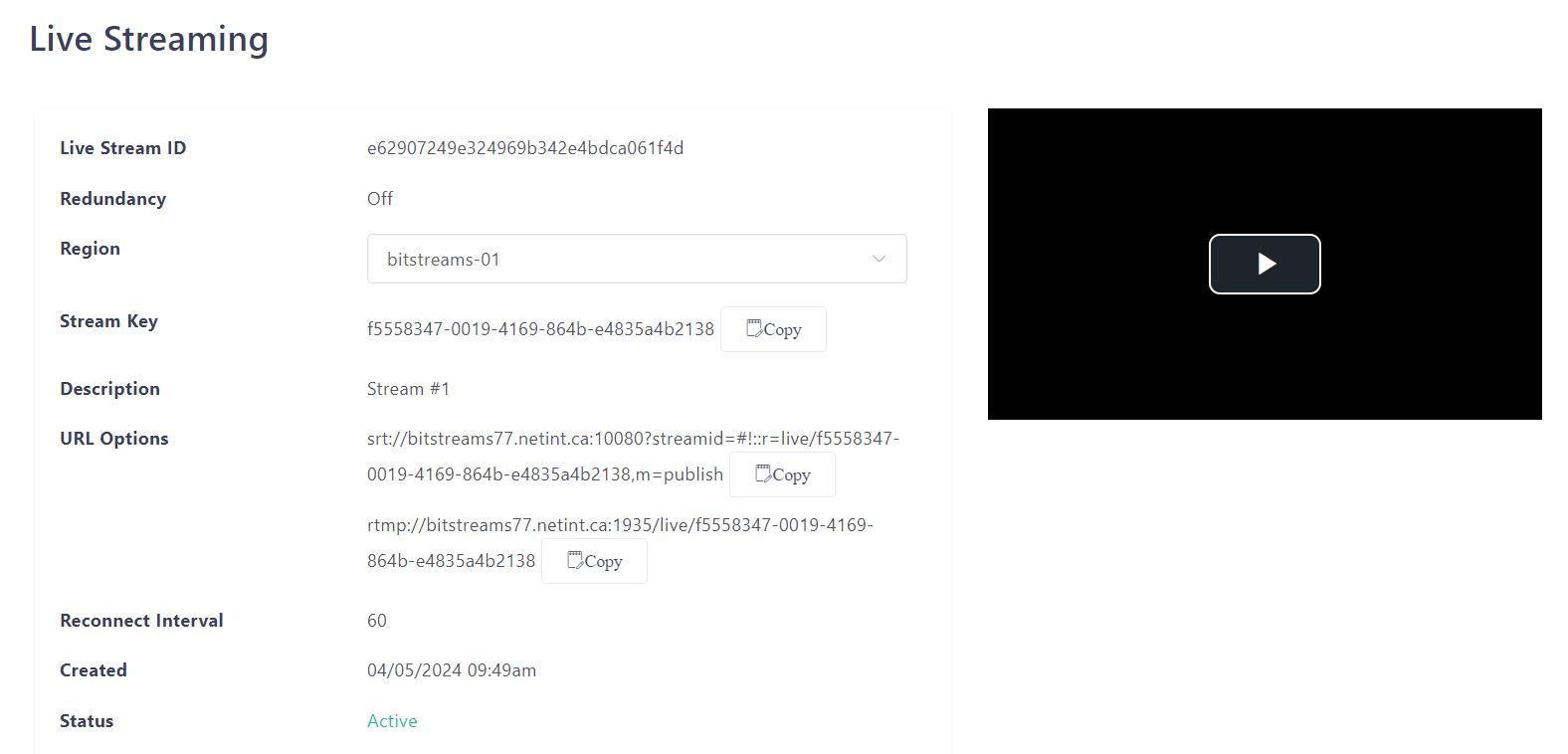
Go back to the Bitstreams Live Streaming dashboard. The stream Status should now be Active instead of Idle.
-
Click on the stream ID to see more information about the stream:
-
Click on the play arrow to view the live stream in the Bitstreams dashboard.