Pull Stream Output (File)
This page assumes that you have already selected and configured the pull streaming input section.
Configure Output
This will consistently record the input stream to a file and will create a new file based on the configuration.
warning
The selected template MUST have only one resolution.
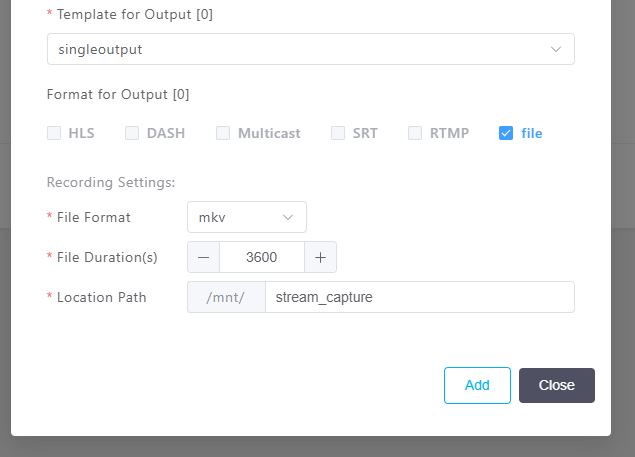
- Select the "File" checkbox for this example in the Format for Output section.
- Select the desired container format from the dropdown menu
- Select the desired filx duration, when a new file will be created, in seconds
- Select the "Location Path".
warning
It is highly recommended that system has been configured for the /mnt/ location to be an external drive/storage.
warning
It is the users responsibility to ensure there is enough storage space and to delete/remove old captures when required.
If there is not enough storage space, Bitstreams Edge will contiune to attempt to save the most recent file before discarding the file.
View Pull Stream Output
Navigate to the external storage device to ensure the file has been successfully saved.