Pull Stream Output (SRT)
This page assumes that you have already selected and configured the pull streaming input section.
Configure Output
info
The SRT output will push the stream to another device and SRT only operates in caller mode.
- Select the "SRT" checkbox for this example in the Format for Output section.
- The Output URLs will be shown after selecting the checkboxes, these are based on the selected transcoding template.
- There is a text entry box next to each output resolution, add an output URL for each resolution, an example is shown below:
info
Each output resolution must have a unique URL address. One of following must be different between resolutions:
- IP Address
- Port Number
- streamid
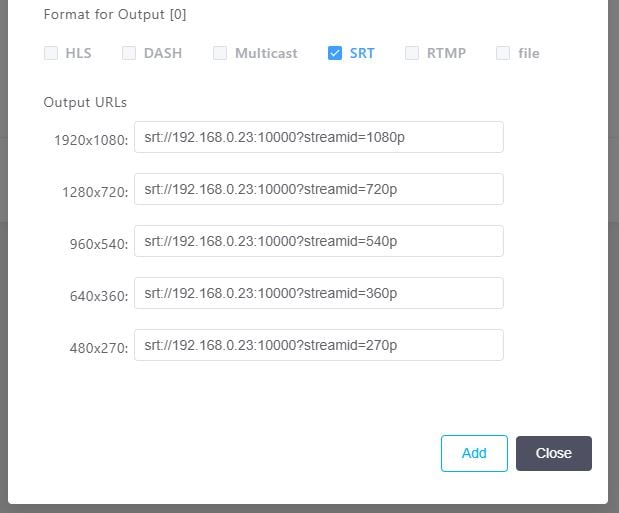
- Press the Add button on the bottom right to finish the pull stream setup.
- The pull stream will report Executing once a connection has been made with the receiving device. If no connection can be made, then Bitstreams Edge will enter a Retry state and contiune attempting to make a connection.
View Pull Stream Output
The output can be verified on the receiving device.