Windows Firmware Upgrade
Do not interrupt the upgrade process or send any commands to the card while the upgrade is in progress.
The user can perform a cold upgrade on the Quadra device from a Windows host command line.
Before upgrading the firmware please acquire the Quadra firmware release package (i.e. Quadra_FW_V4.1.0_RC1.tar.gz). Once acquired, use the following steps to manually upgrade the firmware on each Quadra device:
-
Extract the contents of the firmware release package tarball (i.e.
Quadra_FW_V4.1.0_RC1.tar.gz). Use a tool compatible with GNUzip and Tarball formats such as “7-zip” -
From a CMD terminal with administrator privileges, determine some key device information using the following command
wmic diskdrive get Name,Model,FirmwareVersion,SerialNumber

Note the “Name” of the device you wish to upgrade (eg. \\.\PHYSICALDRIVE1)
- Run the following executable
firmware_upgrade_win.exe
This will initiate the upgrade. It requires two arguments
- The Name of the device (e.g.
\\.\PHYSICALDRIVE1) - The Location of the
nor_flash.bin(e.g..\FL_BIN\nor_flash.bin)
To upgrade, use the following command:
.\firmware_upgrade_win.exe \\.\PHYSICALDRIVE1 .\FL_BIN\nor_flash.bin
Wait for about 2 minutes for the command to complete.
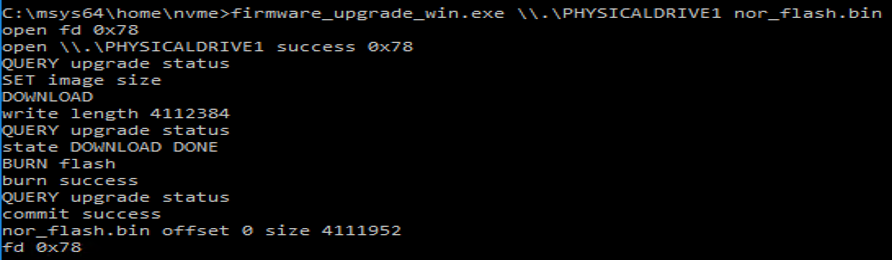
- After the command execution completes, please reboot the host.
- Confirm that the firmware version is upgraded by running the command.
wmic diskdrive get Name,Model,FirmwareVersion,SerialNumber

Do not interrupt the upgrade process or send any commands to the card while the upgrade is in progress.